Every machine.
One record.
When a machine stops, the report usually goes out by phone and the repair ends up in a notebook. Vako records it from the first minute: the operator reports the breakdown from the QR label on the machine, a technician works it as a work order, and planned maintenance and statutory inspections come due on their own.
- A cloud service that runs in any browser
- Requesters and viewers need no license

Operators report a breakdown from the machine itself
When a machine stops, the report travels by phone or across the floor, and later nobody can say when the stop began. In Vako the report starts at the machine.
- Scanning the QR label on the machine opens the request form, with no account needed
- A request marked “machine stopped” goes to the top of the queue
- The person who reported it sees where the request stands in the queue
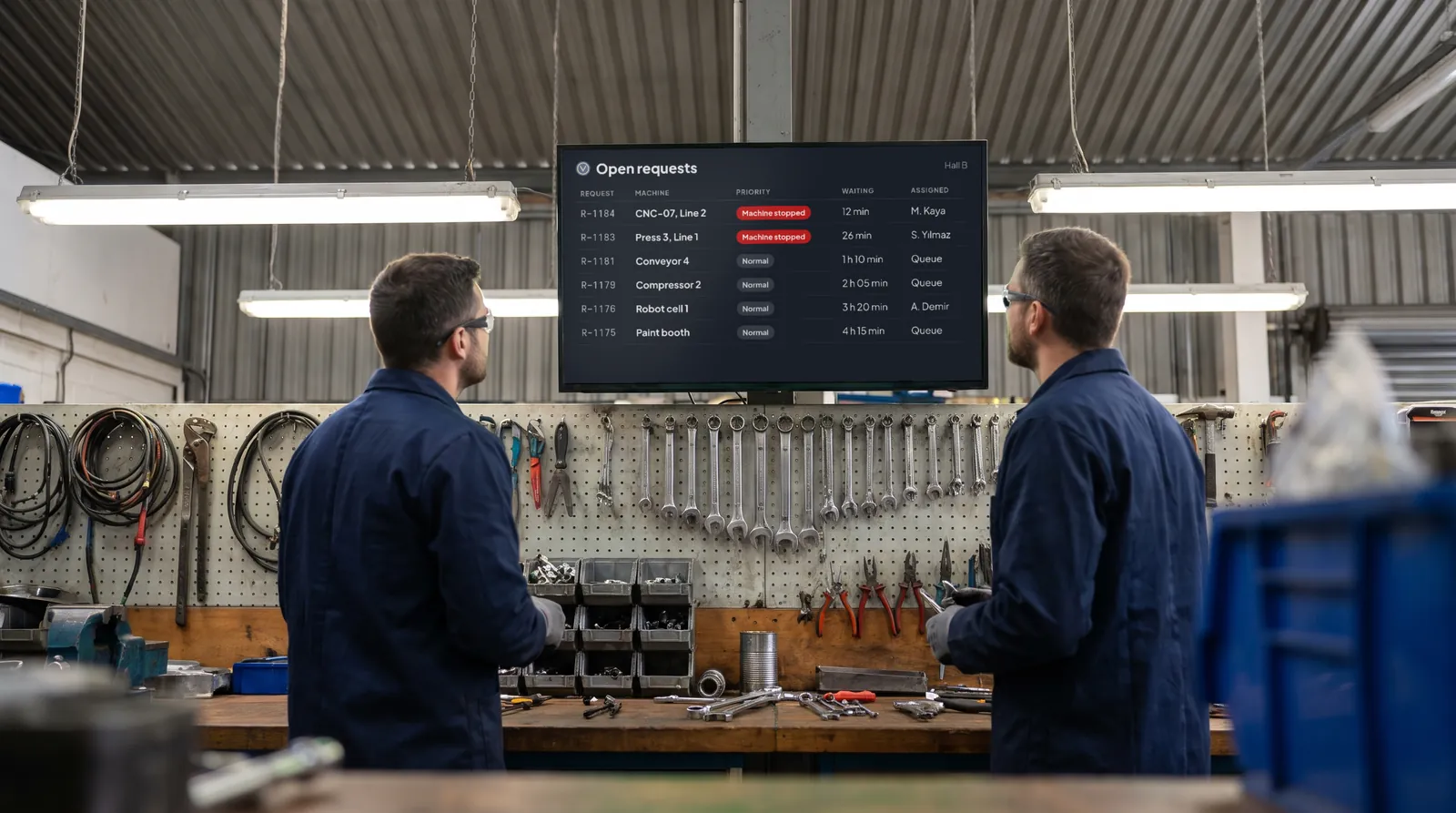
- A large screen in the workshop shows every open request on the floor
Every repair closes with its times, its cause, and its photos
A repair that is only remembered cannot be analyzed. Production wants to know how long the line stood, and maintenance wants to know why it stopped.
- Repair, downtime, and labor are recorded as separate times, with the cost of each job
- Before and after photos are attached to the work order
- Closing codes record the failure, its cause, and the remedy
- Outside repairs are tracked until the part comes back, and lessons learned stay with the machine
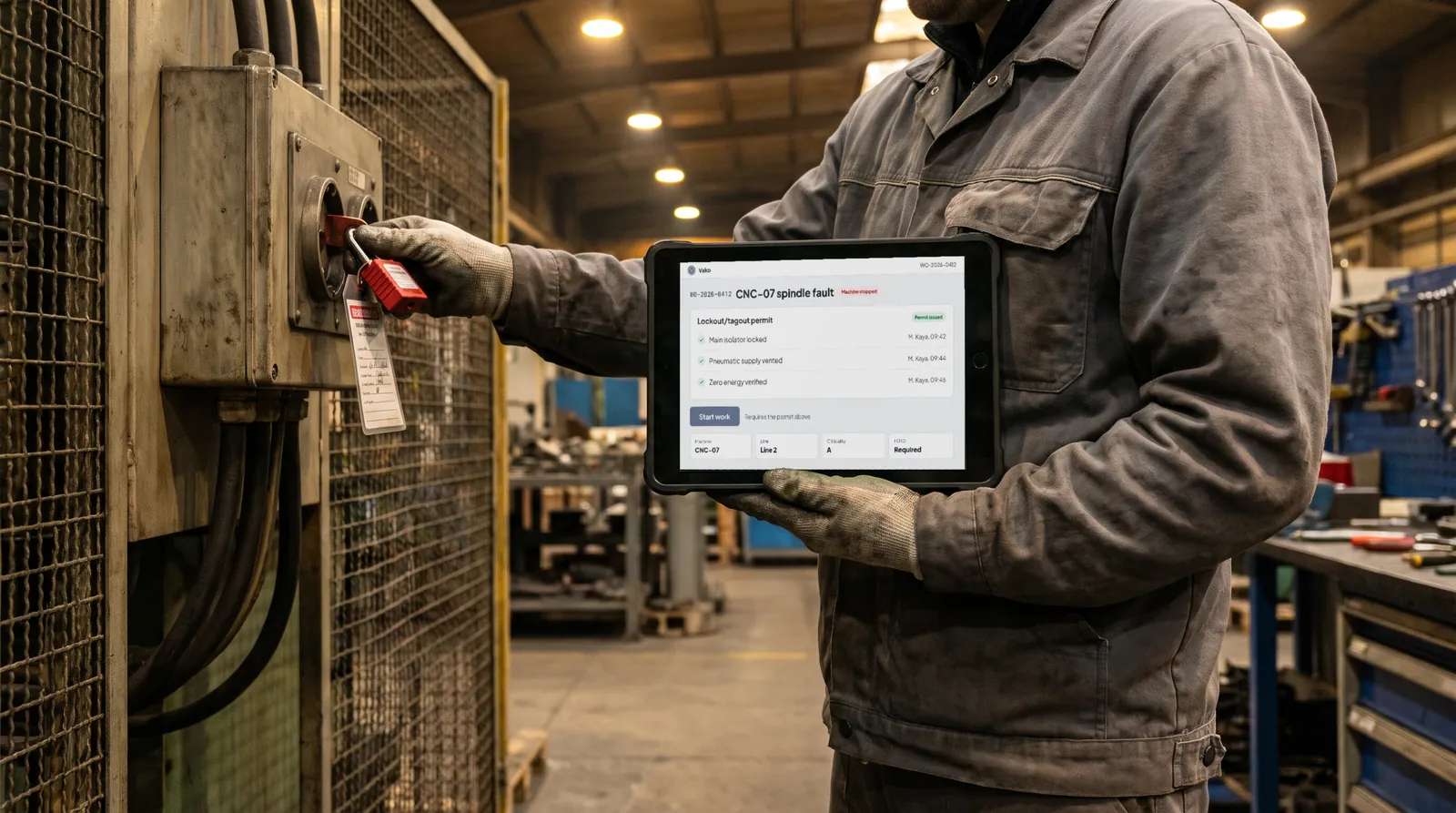
Work cannot start before the machine is locked out
A repair on a machine that has not been isolated puts the technician at risk, and a checklist on paper does not stop anyone. In Vako the permit is part of the work order.
- Machines that require lockout/tagout carry a LOTO flag in their asset record
- A work order on such a machine cannot be started until the LOTO permit is issued
- Each isolation step is recorded with the name of the person and the time
From the asset list to the first report in three steps
- Load your assets
Import the asset list from Excel, arrange it from plant to machine, and print a QR label for each machine.
- Open the floor to requests
Operators report breakdowns from the QR label, and technicians work them as work orders on a phone or tablet.
- Plan and measure
Set planned maintenance by calendar or meter, and follow MTTR, MTBF, and downtime per line and per machine.
Planned maintenance and periodic inspections come due on their own
Inspection dates kept in a spreadsheet are missed the week someone is on leave. The Turkish Work Equipment Regulation requires periodic inspections of equipment such as lifting gear and pressure vessels, and a missed date is a finding.
- Maintenance plans run by calendar or by meter reading
- Templates for the periodic inspections in Annex III of the Work Equipment Regulation, with due warnings
- An approved annual maintenance plan for the year ahead
One tree, from the plant down to the machine
Every request, work order, and report hangs on the same structure, so the history of a machine is in one place. Multi-plant organizations see each plant on its own, and access is granted per plant.
- Plant, department, line, station, and machine, plus facility equipment
- Criticality, nameplate data, meters, and documents on each machine
- An Excel import for the existing asset list, and a QR label for every machine
# Plant 1
Machining
  Line 2
    Station 3
      CNC-07          criticality A  LOTO
      CNC-08          criticality B
Facility
  Compressor 2      meter 1,840 h
  Overhead crane 1  Annex III
Downtime, MTTR, and MTBF from the work you already record
Production management wants to know which machine costs the most time, and why. Because every repair is closed with its times and its cause, the answer comes out of the records themselves.
- MTTR and MTBF per machine and per line
- A Pareto of downtime by failure cause
- Data quality warnings for work orders closed without times or codes
- Spare parts stock and purchasing, linked to the work orders that use them

The whole plant can report, and you license only the people who maintain
Every operator should be able to report a breakdown, but not every operator works in the maintenance system. Vako separates the two.
- Six roles: administrator, planner, technician, production supervisor, requester, and viewer
- Requesters and viewers do not count toward licensed users
- A subscription priced per licensed user, with terms agreed with you
Built to run a maintenance department
Vako is a cloud service. Your teams need a browser on a desktop, a tablet, or a phone.
Separate data. Each customer's workspace has its own database, and no tables are shared between customers.
Two-step sign-in. Accounts can be protected with an authenticator app or a passkey, and every change is written to a tamper-evident audit log.
API and notifications. A documented REST API with expiring keys connects Vako to your own systems, and email notifications tell people when something needs them.
Offline mobile app. Technicians work through their jobs on the floor without a connection, and the app synchronizes when it is back online.
Shop floor connections. Machine signals from PLCs, OEE data, and RFID tags feed requests and meters without anyone typing them.
Frequently asked questions
Do we need to install anything?
Nothing needs installing: Vako is a cloud service that runs in a browser on a desktop, a tablet, or a phone, and technicians can also use the offline mobile app.
Who needs a license?
Administrators, planners, technicians, and production supervisors. Requesters and viewers do not count toward licensed users, so the whole plant can report breakdowns.
Can operators report a breakdown without an account?
Scanning the QR label on the machine opens the request form without an account, and the operator can follow the request's place in the queue.
Can we bring our existing asset list?
The asset list is imported from Excel and arranged from plant down to machine, and a QR label is printed for each machine.
Is our data kept apart from other customers?
Each customer's workspace has its own database, and no tables are shared between customers.
Does Vako cover the statutory periodic inspections?
Vako includes templates for the periodic inspections in Annex III of the Work Equipment Regulation and warns before each one is due.
Which languages does the interface support?
English and Turkish. The interface follows the browser's language, and each user can change it.
How can we see Vako?
Request a demonstration through the form below. Tell us about your plants and your maintenance team, and we will build it around them.
See Vako with your maintenance and production teams
Tell us about your plants and how maintenance is tracked today. We will build the demonstration around them.
- A guided demonstration from a breakdown report to a closed work order
- Your asset structure and inspection obligations reviewed with your team
- Licensing explained for the size of your maintenance team